
777Vault App — Take Your Casino Anywhere
The 777Vault app brings casino gaming to smartphones and tablets, letting players log in and spin reels wherever a connection is available. Built for mobile use, the 777Vault mobile app focuses on quick account access, smooth navigation and gameplay that fits into a busy day rather than tying players to a desktop screen.
This page explains what the 777Vault app offers, which devices it supports, and how the installation process works. From compatibility details to a simple setup guide, everything needed to get started with the 777Vault casino app is covered below, along with answers to common questions players tend to have before downloading.
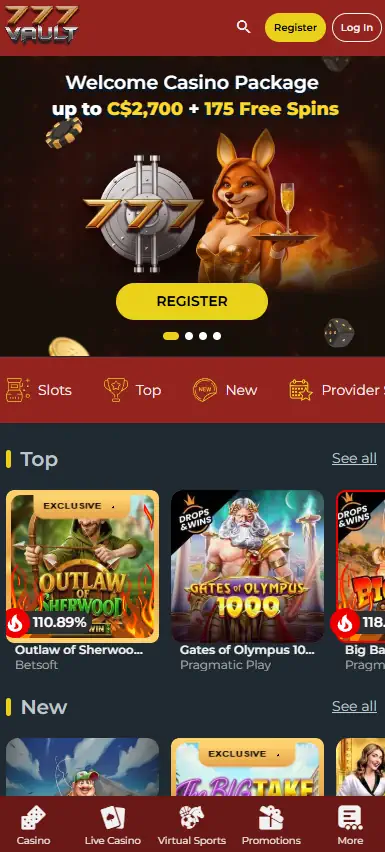
Why Download the 777Vault App
Playing through a browser works fine, but the 777Vault app download adds a layer of convenience that a standard site tab cannot always match. Once installed, the app opens directly to the casino lobby, cutting out the extra step of typing a web address or searching through bookmarks.
Quick access is one of the main reasons players choose the app over browser play. Account details stay saved between sessions, so logging back in takes seconds rather than a full re-entry each time.
The mobile version of 777Vault is optimized for touchscreen use, meaning menus, buttons and game tiles are sized for fingers rather than a mouse pointer. This makes browsing the lobby and switching between titles more straightforward on a smaller display.
Where supported, the app can send notifications about account activity or updates, helping players stay informed without needing to check the site manually. Account management, including checking balances or adjusting settings, can also be handled on the move, without needing to be near a computer.
In short, the 777Vault mobile app is built around practicality: faster load times on compatible devices, a layout suited to phones and tablets, and the ability to manage an account from almost anywhere.
Features Available on Mobile
The mobile experience mirrors much of what is available on desktop, giving access to games, promotions, payments and account settings from a compatible device. Feature availability may vary slightly depending on the platform and device used, so it’s worth checking what appears on a specific phone or tablet.
Through the 777Vault mobile casino, players can typically expect access to:
- Slots – a range of titles playable directly from the app interface
- Live casino – real-time tables where supported by device performance and connection
- Promotions – 777Vault promo code offers and account-linked bonuses, where applicable
- Deposits and withdrawals – payment methods available through the mobile interface
- Account settings – profile details, security options and login management
Because the mobile version draws from the same account system as the desktop site, balances, history and settings stay consistent across devices. This means switching from a tablet to a smartphone, or from the app back to a browser, does not require setting anything up again.
Not every feature guarantees identical performance on every device, so checking a specific phone or tablet’s compatibility beforehand can help avoid confusion later.
Android and iOS Compatibility
The 777Vault app is designed to work across a range of Android smartphones as well as iPhones, with tablet support included where the operating system allows it. Both 777Vault Android and 777Vault iOS users should find the core layout and functionality consistent, though minor interface differences can appear depending on the operating system version.
Before installing, checking the latest system requirements on the official site is recommended, since supported versions and device specifications can change over time. This applies whether accessing the casino through a smartphone or a tablet, on either Android or iOS.
Installing the App
Setting up the 777Vault app download does not require technical experience. The general process follows a short sequence:
- Visit the official 777Vault website.
- Open the App or Download section.
- Download the installation file, or follow the platform-specific instructions provided.
- Install the app if a manual installation step is required.
- Log in and start playing.
Once installation finishes, returning players can head to the Login page to access their existing account and pick up where they left off. New players will need to complete registration first before the login step applies.
Following the steps in order helps avoid interrupted downloads or incomplete installations, particularly on devices with stricter security settings that may require manual permission before an installation file can run.